 AI Live Video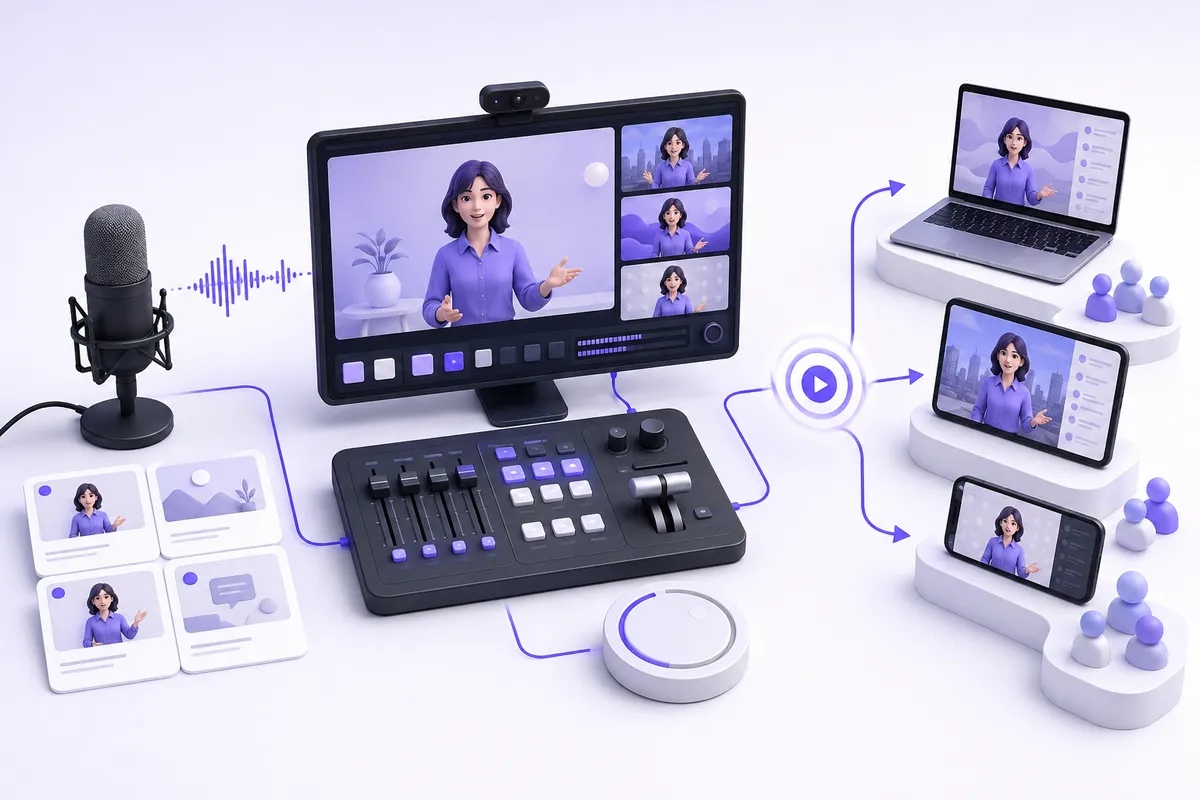
How to create AI live video
Create AI live video by first defining the live experience, then assembling only the systems that serve it. A two-way avatar call needs an interaction pipeline; a multilingual broadcast needs translation output; a shopping event needs a player and catalog integration. Most reliable launches combine a generator or agent with separate streaming infrastructure. Starting with a visually impressive demo and adding production, safety, and measurement later is the usual route to an expensive pilot that cannot operate.
1. Start with one user job
Write a bounded sentence: “A visitor can ___, and the system must ___.” Examples include answering a defined product question, translating a keynote, presenting a scheduled retail event, or running a guided practice conversation. Name the owner of the answer content and the escalation path. If the job is simply to publish an approved presenter clip, a conventional avatar-video workflow may be safer than live interaction.
Decide whether the audience talks back. A one-way show is a contribution-and-distribution problem. A conversational agent is a microphone, speech, reasoning, voice, face, and WebRTC problem. A shopping player is a product-data and checkout problem. The AI Video Agents, Live Translation & Dubbing, and AI Live Shopping categories solve different jobs.
2. Give latency a precise acceptance test
Do not request “low latency.” Select the measure that changes the experience. For an avatar conversation, collect end-of-speech to first audible response, end-of-speech to visible face response, interruption recovery, and reconnect time. This is interaction response latency, not frame rate. For a broadcast, measure source contribution delay and viewer glass-to-glass delay separately. For translation, measure original speech to translated caption and original speech to translated audio separately. For a generated insert, measure job completion time and throughput; that asset is not a live reply.
Set a target per audience, network, geography, and device, then test it at the full pipeline level. Tavus documents a managed two-way WebRTC CVI session, while Simli is useful to evaluate where a team owns more of the voice-stack composition. Neither a WebRTC label nor a face-layer estimate proves your total response time. Retrieval, policy checks, model calls, browser behavior, and transport can dominate a real deployment.
3. Draw inputs, outputs, and state
Map every input: camera or avatar feed, microphone, chat, knowledge source, product catalog, product identifiers, and operator controls. Map every output: viewer media, captions, translated tracks, player events, transcripts, recordings, analytics, and human handoff. Then declare what state is allowed to persist. Credentials and room tokens belong on a controlled server side. Recordings, transcripts, and likeness assets need retention, deletion, access, and consent rules before launch.
A useful diagram has four lanes: audience interaction, AI/media pipeline, production/distribution, and operations. Put failure points between lanes. If speech recognition fails, does the visitor see a retry? If a knowledge source is stale, does the agent refuse to guess? If the contribution feed fails, is there a holding slate? If catalog sync fails, are products removed rather than sold incorrectly?
4. Pick components by boundary, not brand
Use an interactive video product for live conversational presence; use a studio or encoder for scene composition; use a relay for destinations; use translation for language output; and use a commerce player for products and purchase signals. Restream documents browser production and a Studio asset API, but it is not a generative model. OBS Studio is a desktop mixer and encoder, not a hosted guest or commerce service. Wordly provides live translated audio and captions, which is different from an avatar’s response pipeline.
A minimal conversation build may be: browser UI, identity service, server-side session creation, a managed visual-agent service, an approved retrieval source, observability, and human support. A minimal event build may be: camera/encoder, studio, relay, caption or translation output, destinations, moderation team, and a publishing checklist. A commerce build adds catalog mapping, cart and checkout behavior, analytics events, and customer service.
5. Orchestrate the unhappy paths
Make state transitions explicit: create, connect, active, interruption, degraded, handoff, end, and cleanup. A session should have a maximum duration, timeout, cancellation behavior, and a message that works without video. Test microphone denial, poor network, a user changing tabs, stale credentials, a model timeout, an unsafe request, a missing product, and a host disconnect.
Do not expose vendor keys in the browser. Validate that room authorization is scoped and short-lived where the selected vendor supports it. For any custom face or voice, keep evidence of consent, permitted contexts, an approval owner, and a removal route. Tell users when they are speaking to automation. If the workflow answers commercial, health, legal, financial, employment, or account questions, define prohibited answers and transfer paths before testing quality.
6. Rehearse production before inviting an audience
A live system is an operating procedure. Give named people responsibility for show start, source health, chat or moderation, content accuracy, translation monitoring, incident communication, and support handoff. Rehearse the entire route with real network conditions, target browsers, actual destinations, and a production-size catalog or knowledge base. Watch the viewer experience rather than only the operator console.
For a retail experience, Firework documents product-card clicks, pinned products, add-to-cart, and checkout requests. Treat those as integration events to validate, not as a blanket promise that checkout is complete inside every player. Test regional catalog selection, out-of-stock changes, replay behavior, consent, and event instrumentation. For multistreaming, verify title, destination authorization, moderation ownership, and rights on every destination.
7. Measure outcome and reliability
Instrumentation should tie back to the original job. For agents, measure connection success, first-response timing, interruption success, task completion, answer refusal, handoff, and customer feedback. For broadcasts, measure source health, contribution delay, viewer delay, destination failures, and replay availability. For translation, measure delay, intelligibility review, and audience use by output type. For commerce, measure correct product matches, add-to-cart events, checkout requests, conversion, returns signals, and escalations.
Avoid one composite “real-time score.” Preserve the separate timing series so a slow answer is not hidden by a smooth frame rate or a low encoder delay. Segment by browser, network, locale, session type, and content version. Establish alert thresholds and a release rollback decision before the audience is present.
Launch checklist
- Define one user job, one live boundary, and one human escalation route.
- Select the correct latency measure and test it end to end.
- Separate agent or generator responsibilities from studio, relay, translation, and commerce responsibilities.
- Keep secrets, consent records, and retention policies under your control.
- Rehearse failure, moderation, accessibility, destination, and catalog scenarios.
- Publish only after the relevant outcome and reliability signals are visible.
The best AI live-video architecture is often deliberately ordinary around the AI. It uses established streaming operations to make a narrowly defined AI capability safe, measurable, and useful.
A practical pilot sequence
Keep the first release intentionally narrow. Use one audience, one locale, one content source, one destination, and a limited operating window. Write acceptance cases before connecting vendors: a successful session, a slow session, an interruption, an unavailable source, an incorrect answer, a request for a person, and a complete shutdown. Record what the operator observes and what the viewer receives for each case. That discipline prevents a demo from quietly becoming a production promise.
Separate configuration from policy. Prompts, approved content, product facts, destination titles, and moderation rules should have owners and review dates. Changes to any of them can alter the user experience even when the media stack is healthy. Keep a simple release record showing the version used for each rehearsal, so a later issue can be reproduced without guessing.
Finally, run a small audience pilot with consent. Compare telemetry with human observation and support feedback. Fix the most consequential failure mode first: wrong answers, failed connection, inaccessible output, broken product mapping, or unclear handoff. Scale destinations, languages, and automation only after the original flow behaves predictably. A staged launch is a design choice, not a lack of ambition.